Run the whole venue from one screen.
Halls, inquiries, bookings, menus, inventory, vendors, cheques, payroll and reports — one platform for event businesses, shown here exactly as it runs in production.
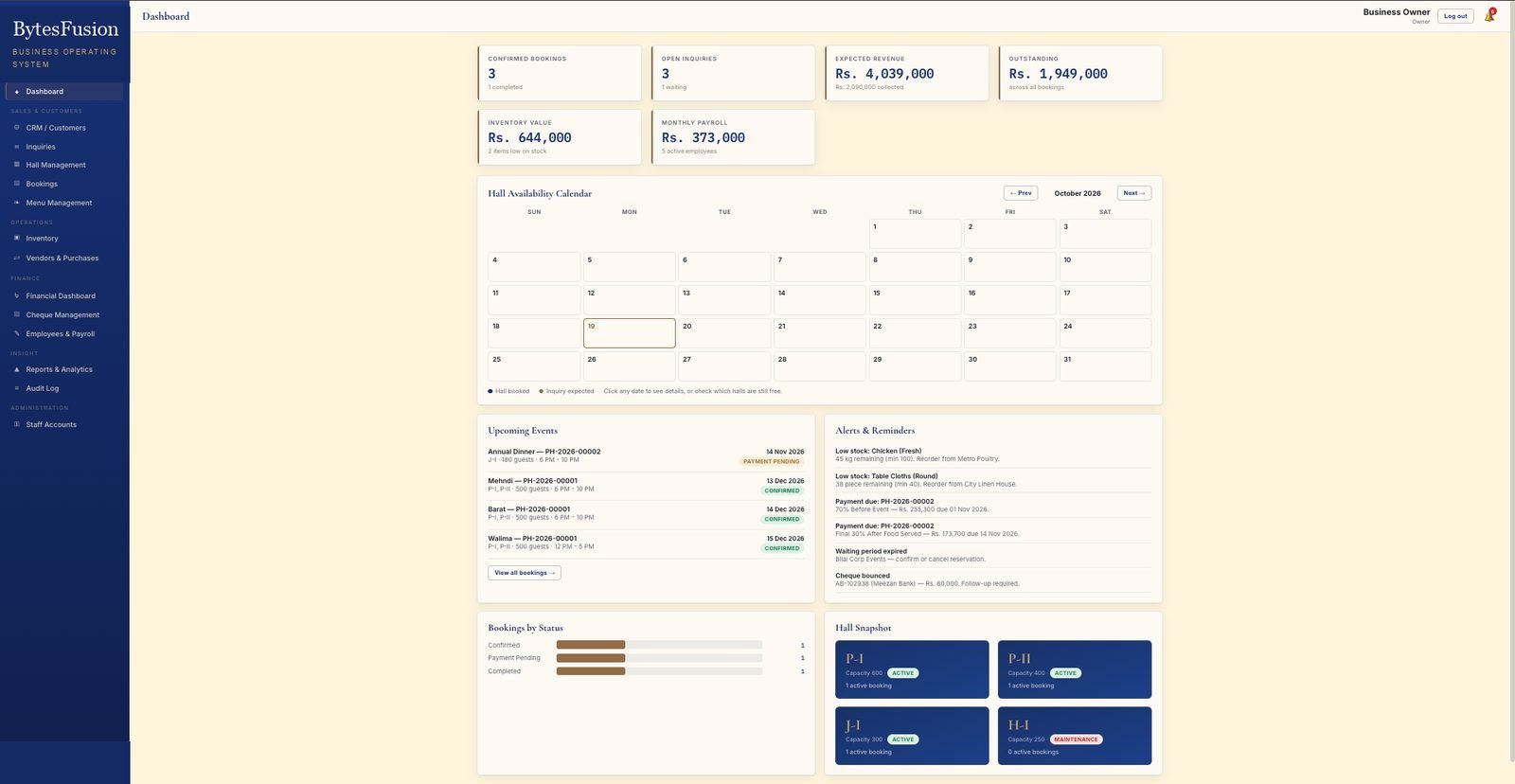
The entire system, screen by screen.
Nothing mocked up — these are production screenshots of the ERP as a live event-hall client uses it every day. Click any screen to open it full size.
Workspace screens
DashboardKPIs, hall calendar, upcoming events, alerts & reminders
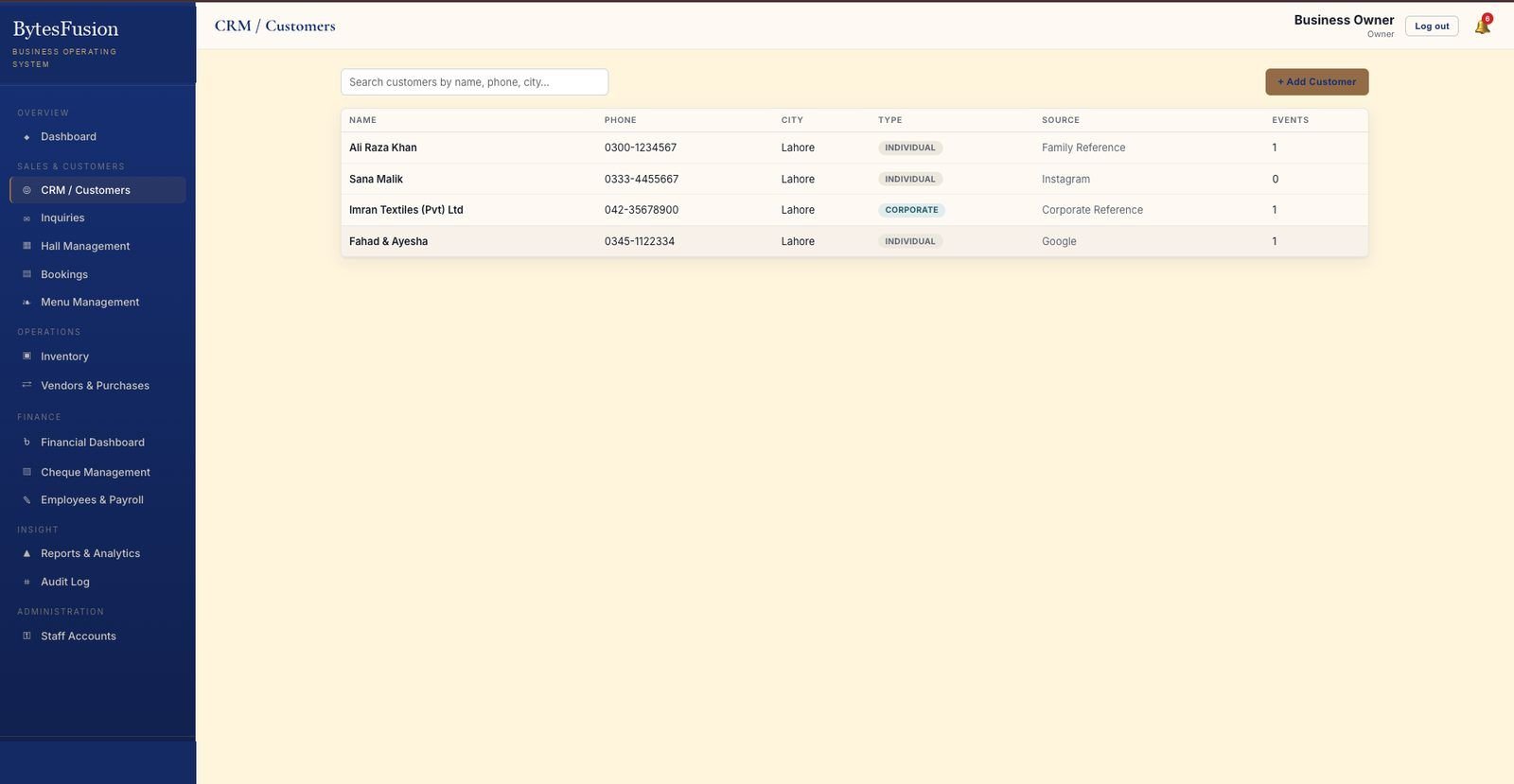 CRM / CustomersRecords, sources, follow-ups and lifetime value
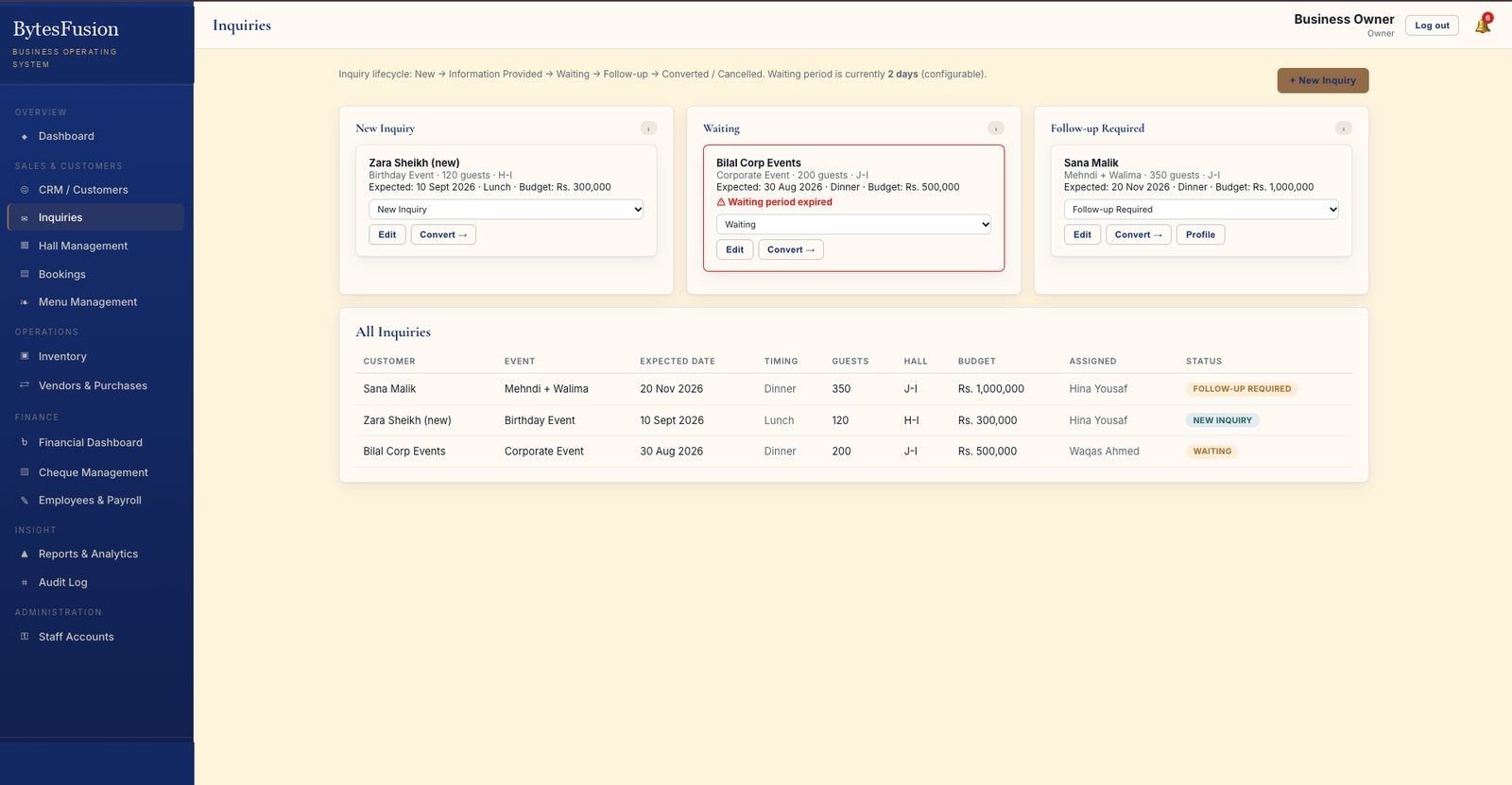 InquiriesCapture, assign and convert new leads
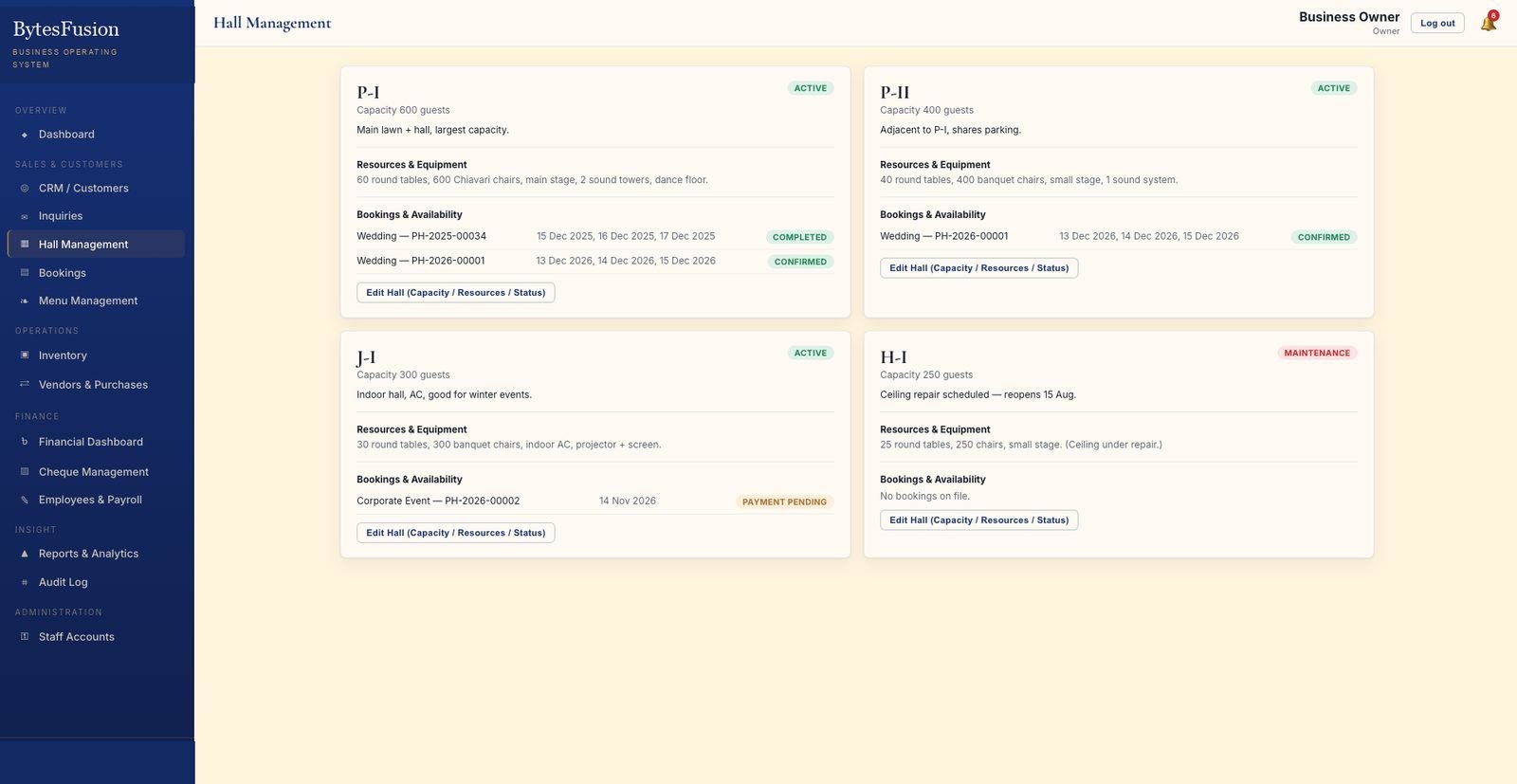 Hall ManagementCapacity, equipment, status and availability per hall
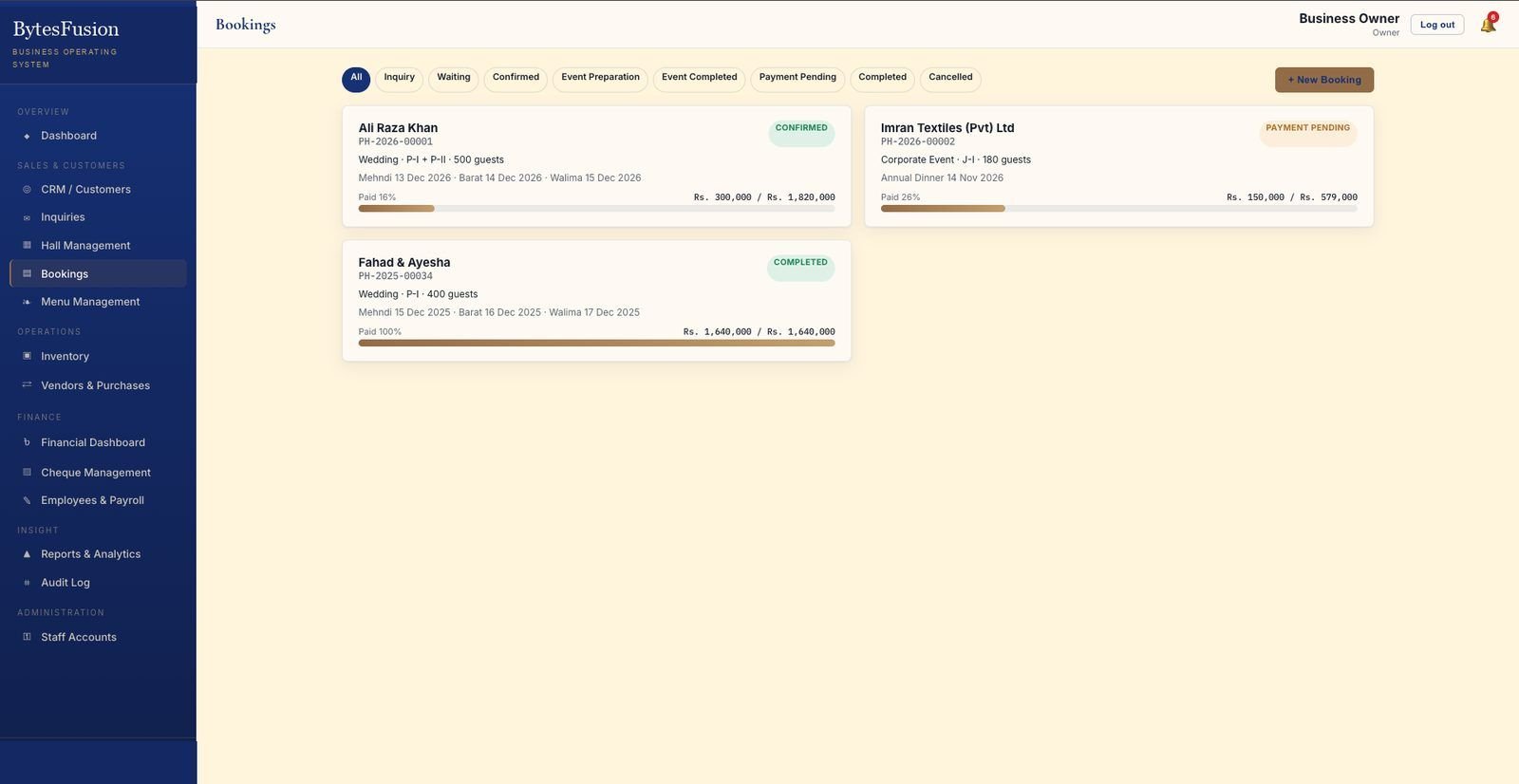 BookingsNine-stage pipeline with payment progress per event
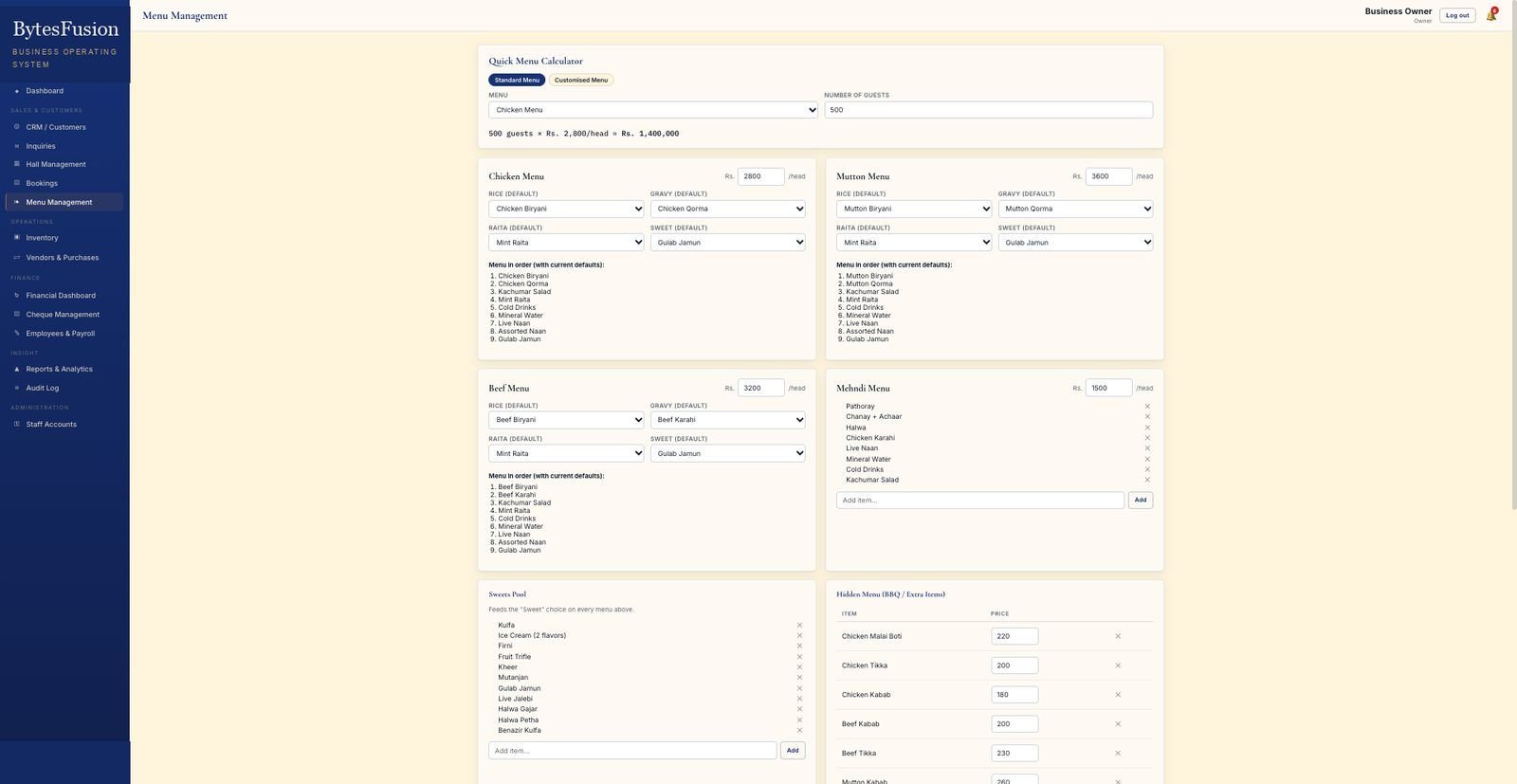 Menu ManagementPer-head menus, quick calculator, sweets pool, BBQ items
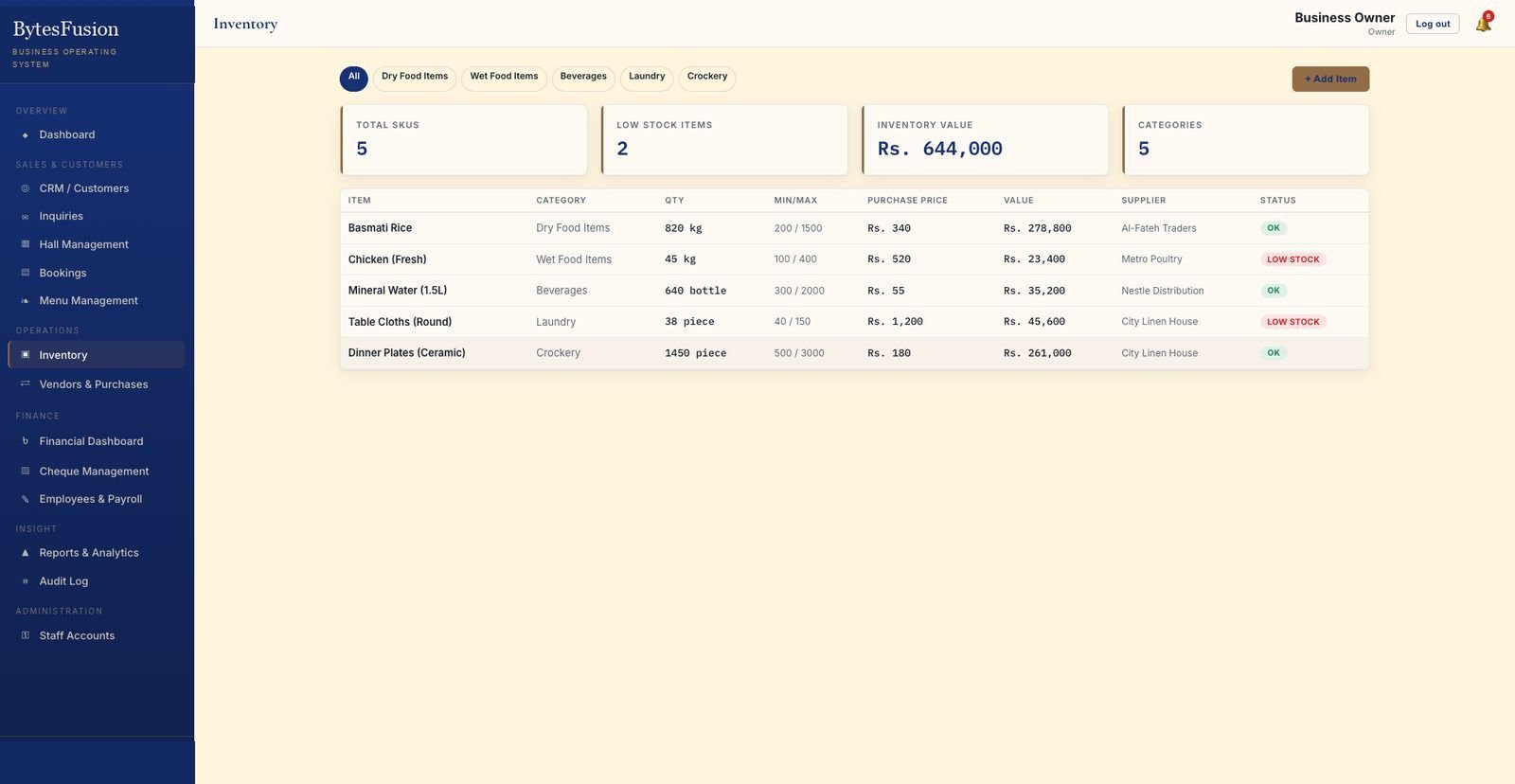 InventorySKUs, min/max levels, suppliers and low-stock alerts
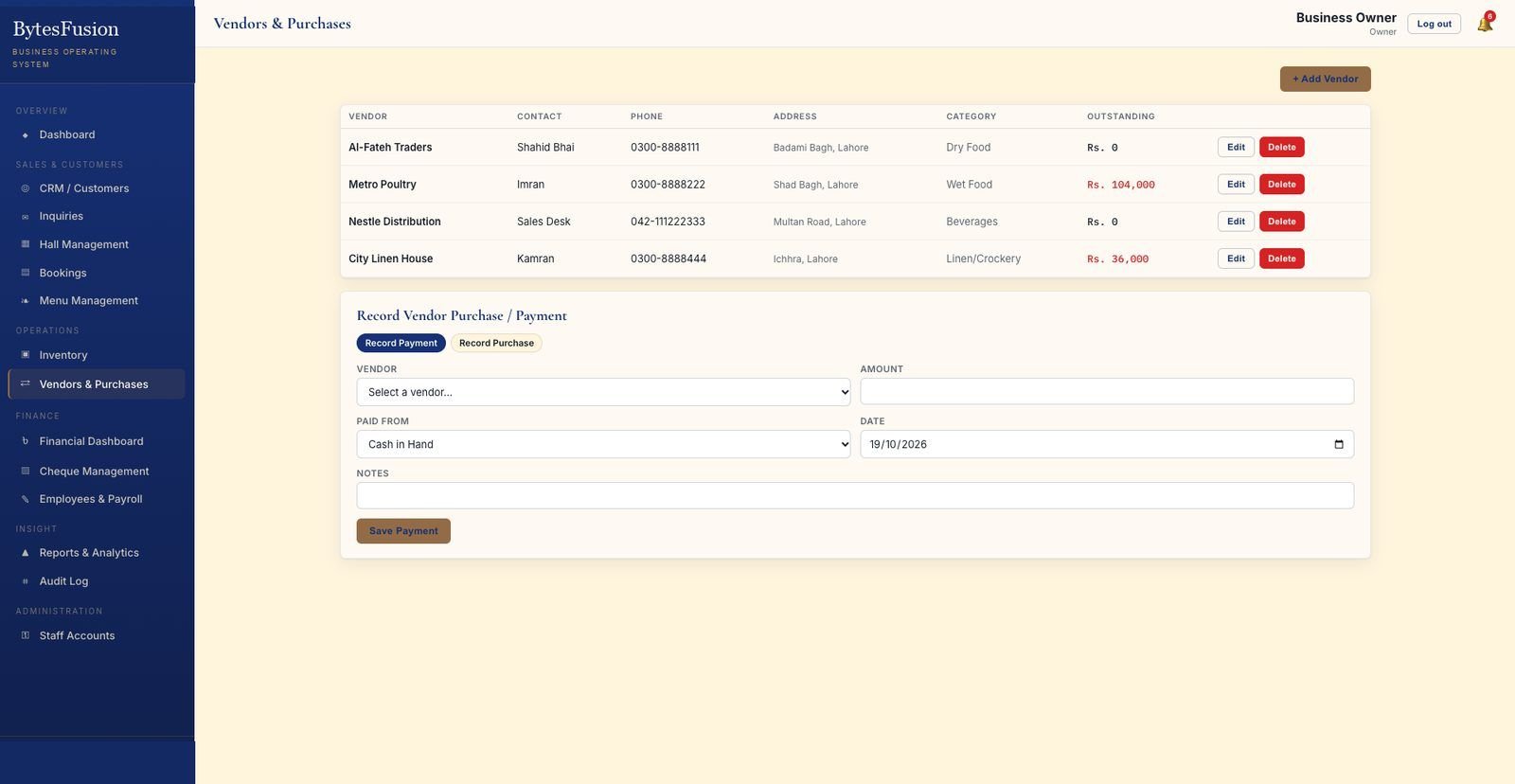 Vendors & PurchasesSuppliers, outstanding balances, record purchase or payment
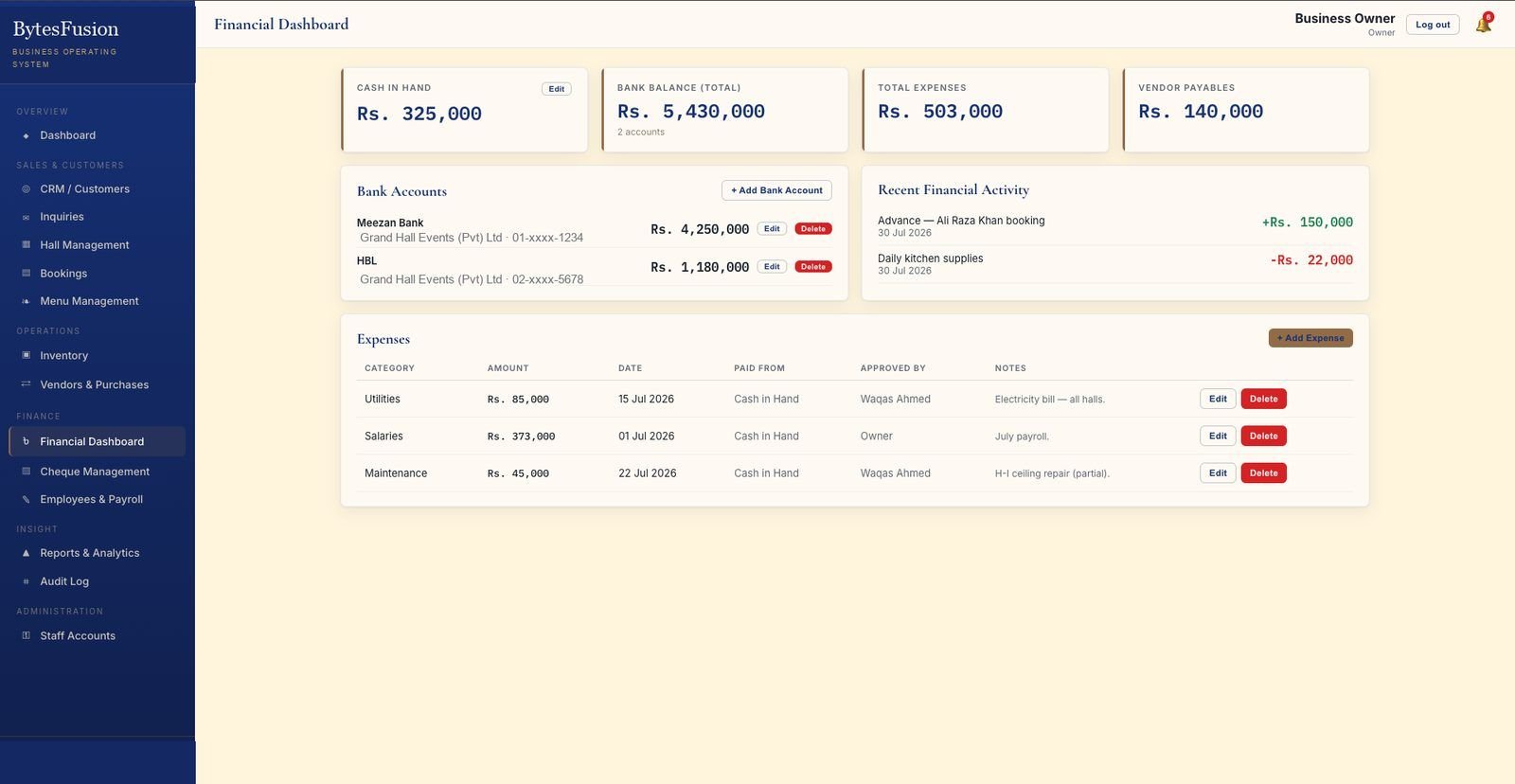 Financial DashboardCash, bank accounts, recent activity and expense log
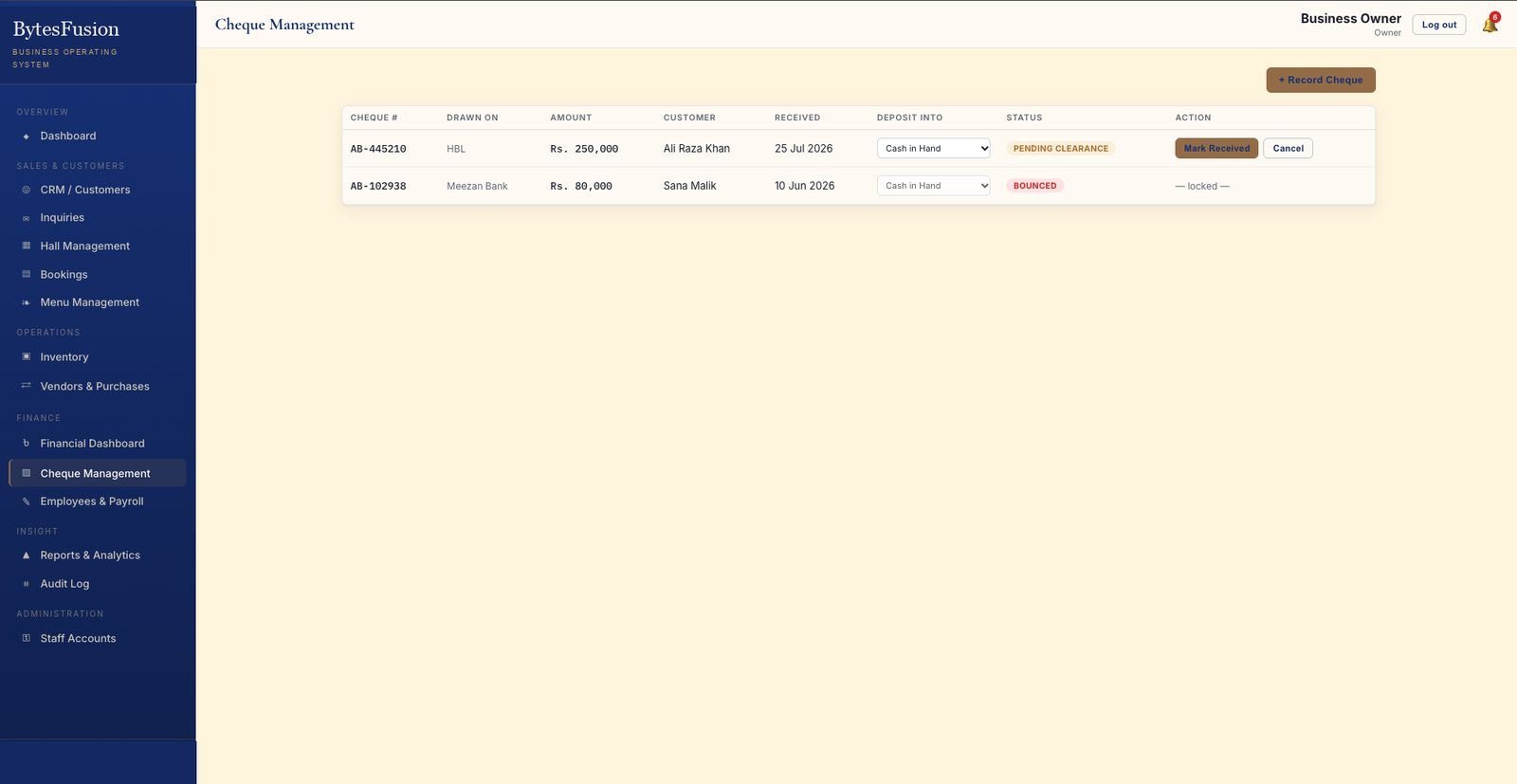 Cheque ManagementRecord, deposit, clear — and flag bounced cheques
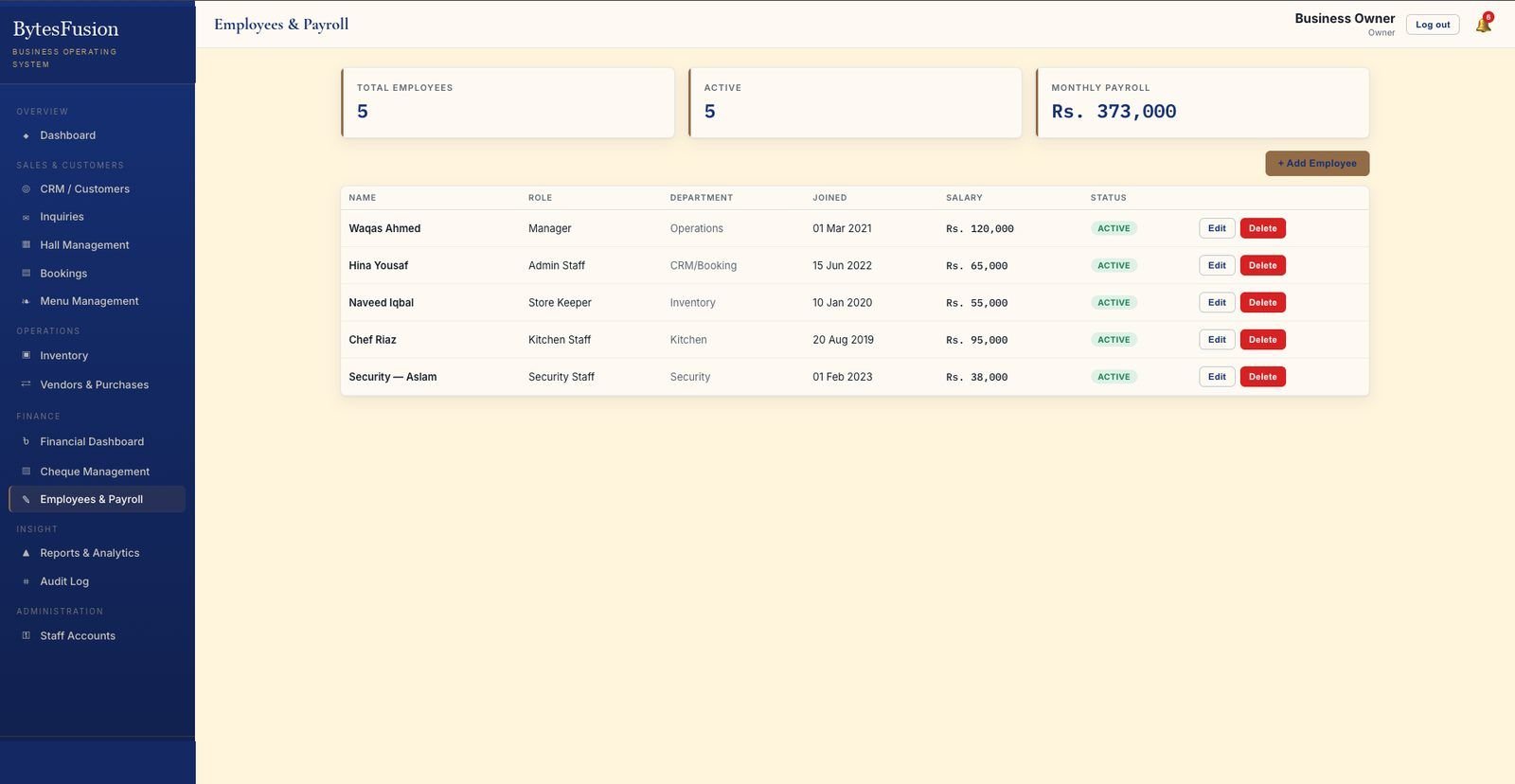 Employees & PayrollRoles, departments, salaries and monthly payroll total
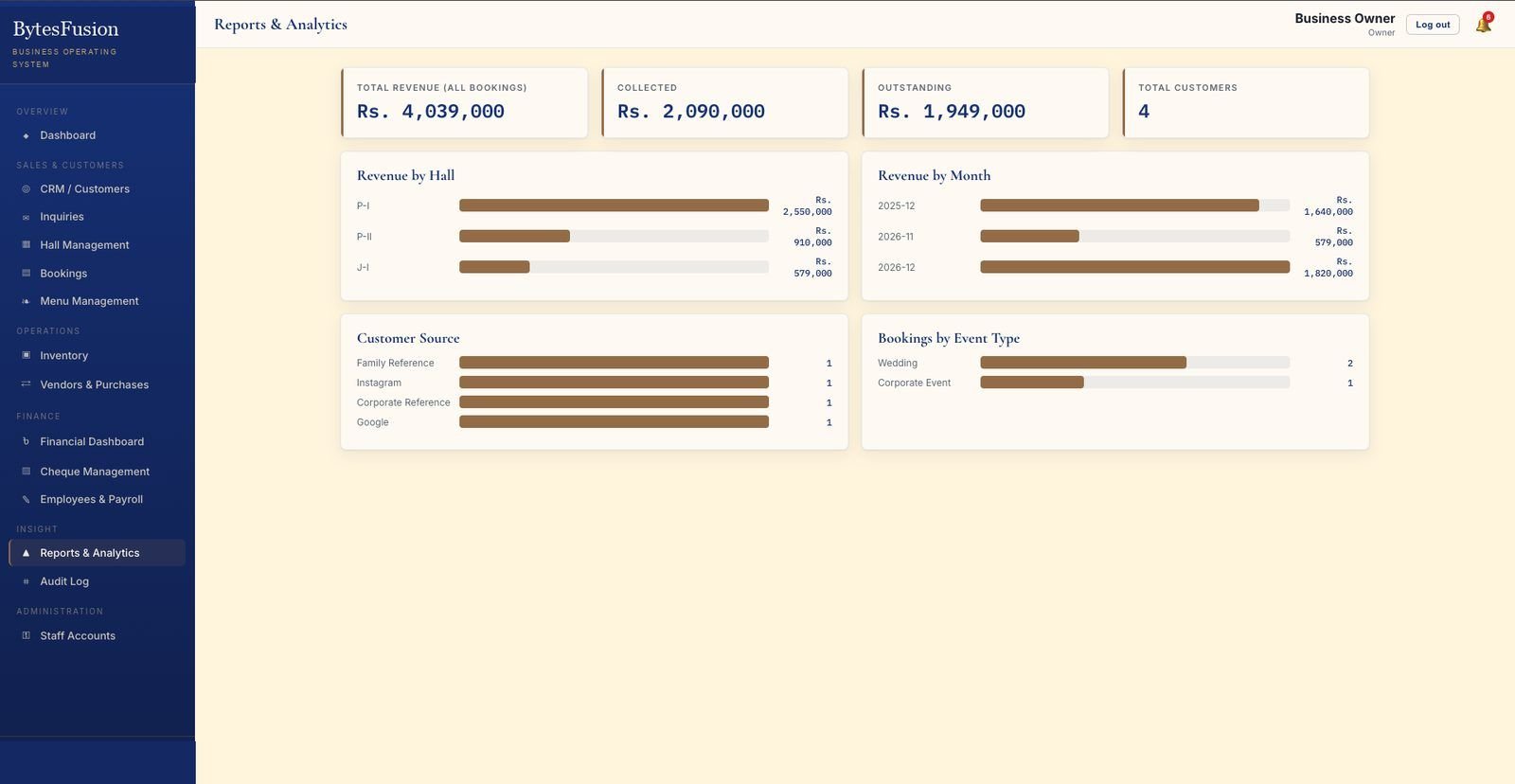 Reports & AnalyticsRevenue by hall and month, sources, event types
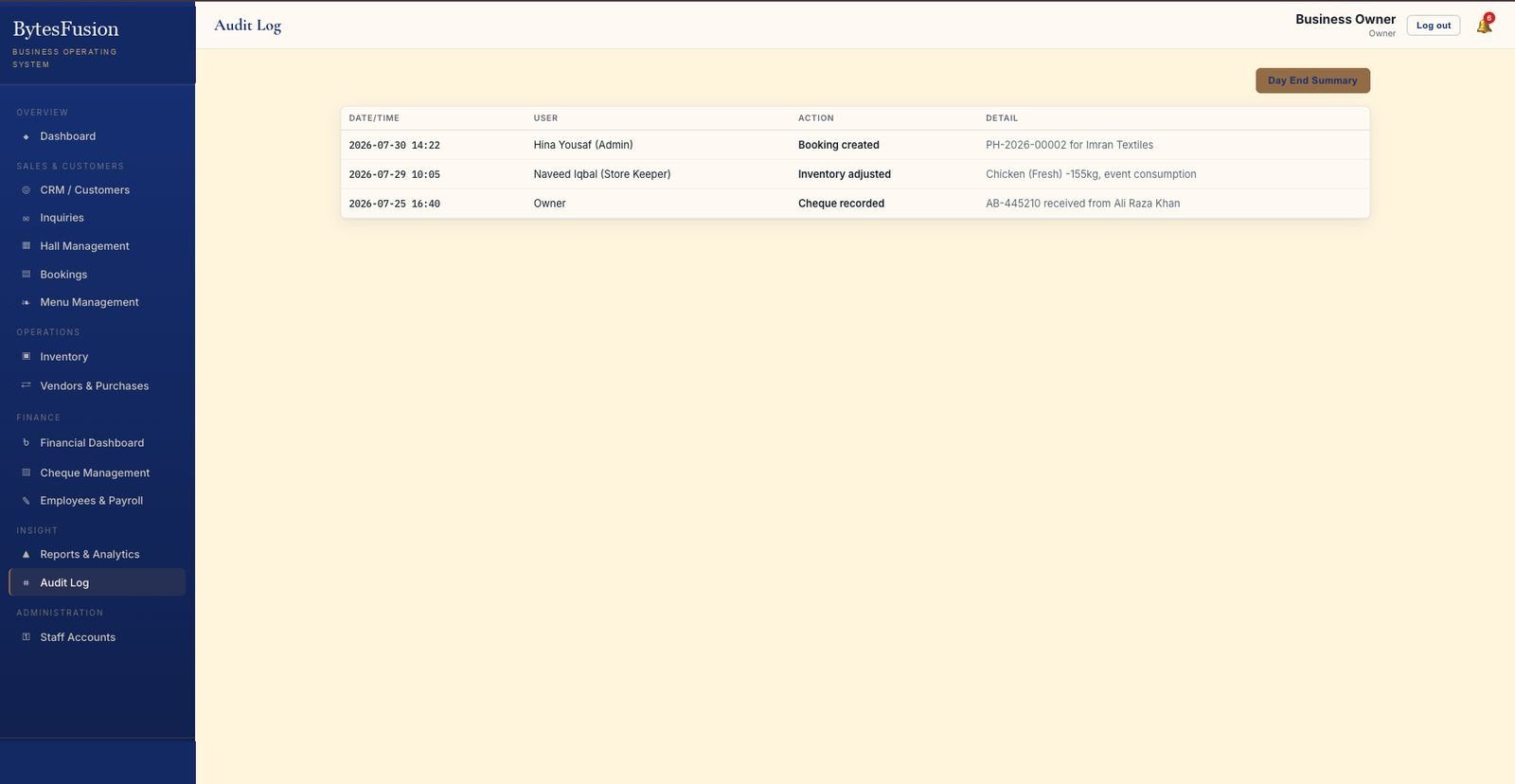 Audit LogWho did what, when — plus a day-end summary
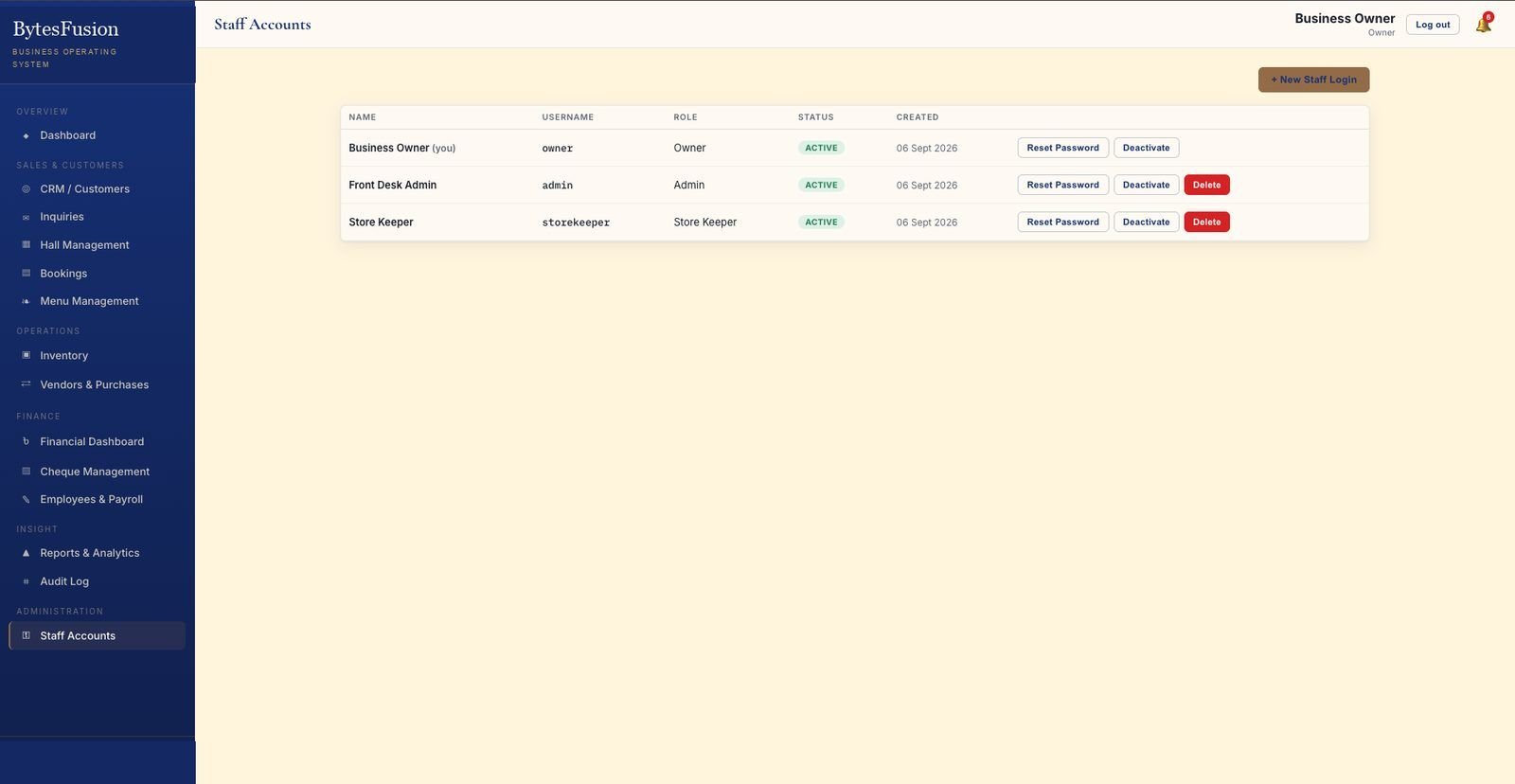 Staff AccountsOwner, Admin and Store Keeper logins with role controls
Forms & detail views
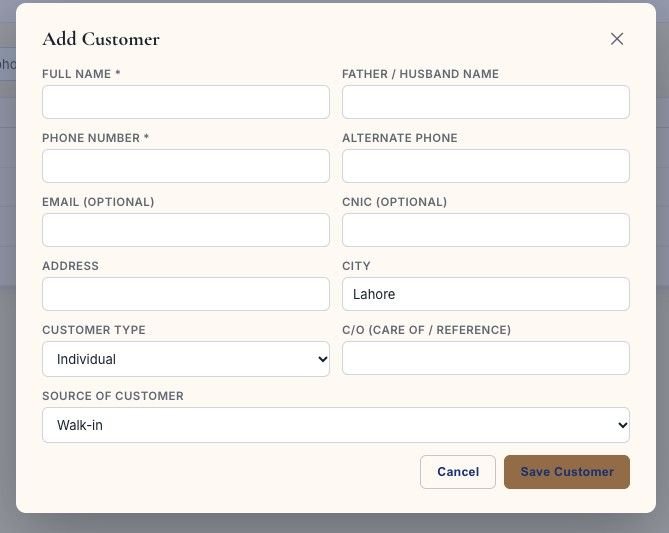 Add CustomerType, city, source of customer
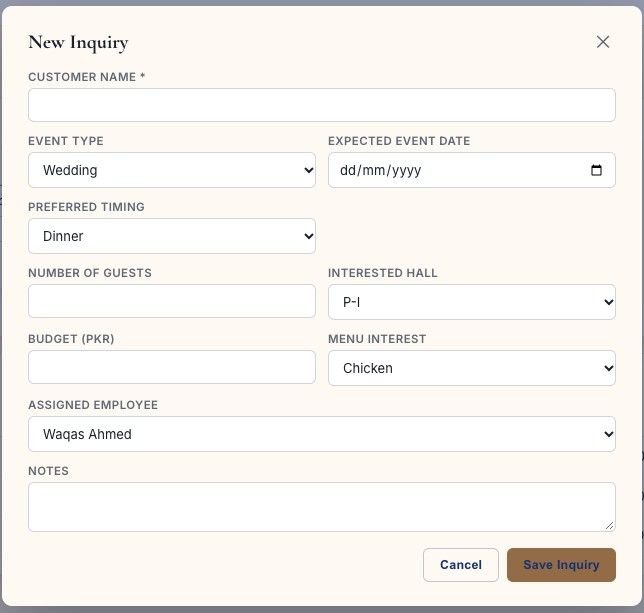 New InquiryEvent type, date, guests, budget, assigned employee
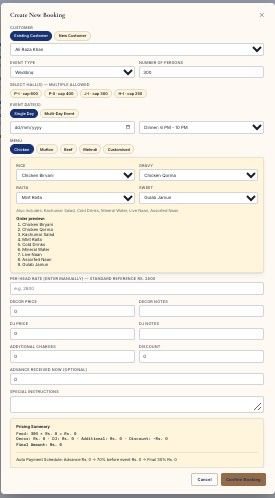 Create New BookingMulti-hall, multi-day, menu, pricing & payment schedule
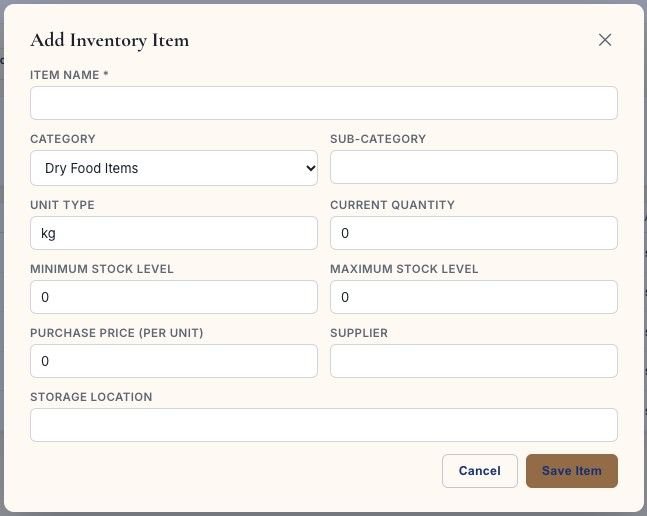 Add Inventory ItemCategory, min/max stock, price, supplier
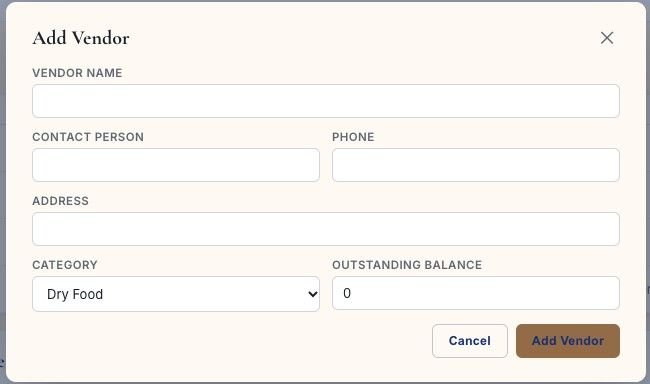 Add VendorContacts, category, outstanding balance
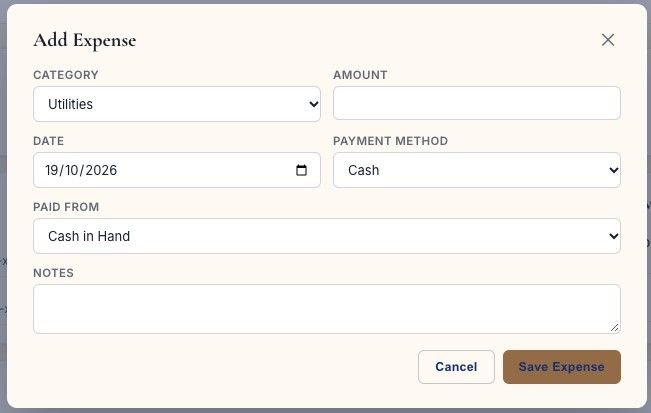 Add ExpenseCategory, payment method, paid from, approval notes
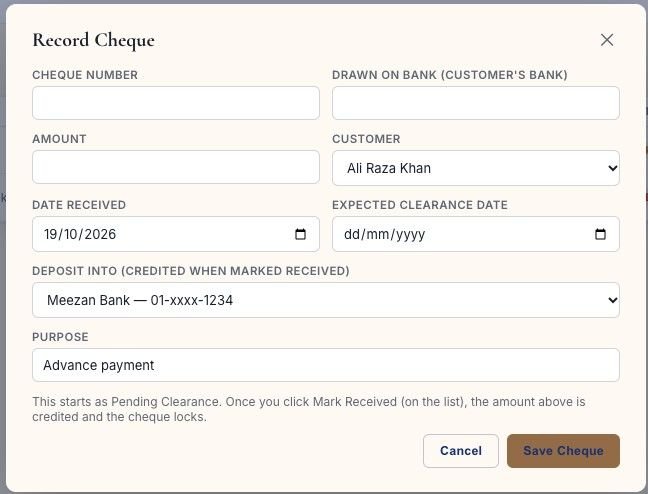 Record ChequeClearance date, deposit account, purpose
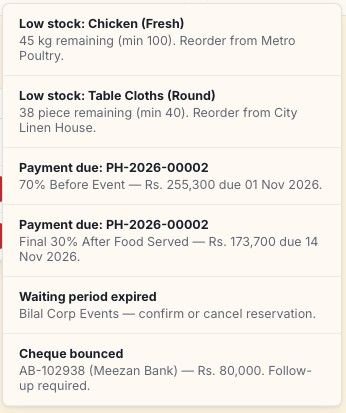 Alerts & RemindersLow stock, payment dues, waiting periods, bounced cheques
Fourteen modules, one database.
Every module in the sidebar you saw above — what each one actually does in the live system.
Dashboard
Confirmed bookings, open inquiries, expected revenue, outstanding, inventory value and monthly payroll — plus a hall availability calendar, upcoming events and an alerts panel.
CRM / Customers
Every customer with phone, city, type, source of customer, follow-up status and lifetime value — searchable from one table.
Inquiries
Event type, expected date, preferred timing, guest count, interested hall, budget in PKR, menu interest and an assigned employee.
Hall Management
Capacity, description, resources & equipment, active/maintenance status and every booking against that hall.
Bookings
The full pipeline — Inquiry, Waiting, Confirmed, Event Preparation, Event Completed, Payment Pending, Completed, Cancelled — with payment progress per event.
Menu Management
Chicken, mutton, beef and mehndi menus with per-head rates, a quick calculator (guests × rate), sweets pool and hidden BBQ items.
Inventory
Dry food, wet food, beverages, laundry and crockery SKUs with min/max levels, purchase price, supplier and low-stock status.
Vendors & Purchases
Suppliers by category with outstanding balances — record a purchase or a payment against cash or bank in one form.
Financial Dashboard
Cash in hand, bank balances, total expenses and vendor payables, with bank accounts, recent activity and an approved expense log.
Cheque Management
Record cheques with expected clearance dates, mark them received into an account, and keep bounced cheques locked for follow-up.
Employees & Payroll
Roles, departments, join dates and salaries — with the monthly payroll total computed live from active staff.
Reports & Analytics
Total revenue, collected vs outstanding, revenue by hall and by month, customer sources and bookings by event type.
Audit Log
Every booking created, stock adjusted and cheque recorded — user, timestamp and detail — with a day-end summary.
Staff Accounts
Owner, Admin and Store Keeper logins with roles, reset password, deactivate and delete controls.
Which business is this ERP best for?
It was built inside a real multi-hall event venue — so anywhere the work looks like halls, bookings, catering and payments, it fits out of the box.
- Wedding & event halls. Multiple halls with different capacities, multi-day events (mehndi, barat, walima), advances and payment schedules — the exact deployment these screenshots come from.
- Banquet halls & catering venues. Per-head menus, quick quoting for guests × rate, kitchen inventory and vendor purchases in the same system.
- Party venues, farmhouses & lawns. Seasonal bookings, waiting periods, resource lists (tables, chairs, stages, sound) and availability by date.
- Corporate event spaces. Annual dinners and company events with invoicing, cheque clearance and payment-pending tracking.
- Restaurants & cloud kitchens running events. Menu pricing, dry/wet stock, suppliers and payroll without a second tool.
Where it fits less well
Honest scoping saves everyone a discovery call:
- Pure retail POS — single-counter sales with barcode tills are a different animal.
- Heavy manufacturing — shop-floor routings and MRP need a purpose-built MES.
- Multi-entity corporates — consolidation across legal entities is a custom scoping conversation.
Not sure which side you're on? Send us your process→ — we'll tell you straight.
Four workspaces, one database.
Sales never re-types what operations already recorded, and finance never rebuilds a number payroll calculated. Switch tabs to see each workspace from the live system.
From first inquiry to confirmed event.
Customer records, inquiries and bookings are one connected flow — every lead has an owner, every booking has a payment status.
- Customers with context. Name, contact, city, customer type, source and follow-up status in one searchable table.
- Inquiries assigned, not lost. Event type, date, timing, guests, hall, budget and menu interest — routed to a named employee.
- Bookings with money attached. Nine-stage pipeline with paid %, advance and total right on the card.
- Multi-day, multi-hall events. Select several dates and halls in one booking — mehndi, barat and walima together.
Halls, menus, stock and suppliers.
The physical side of the venue — what you can host, what you'll serve, what's in the store and who supplies it.
- Hall cards with real capacity. Guests, tables, chairs, stages and sound systems — with active or maintenance status.
- Menus priced per head. Standard or custom menus, a quick calculator, sweets pool and hidden BBQ items.
- Stock that flags itself. Min/max levels per SKU with low-stock alerts pushed to the dashboard.
- Vendors with balances. Outstanding per supplier, record purchases and payments against cash or bank.
Every rupee, from advance to clearance.
Cash, banks, expenses, cheques and payroll in one place — each tied to the booking it came from.
- Cash & banks together. Cash in hand, bank totals, vendor payables and an expense log with approver names.
- Cheques under control. Expected clearance dates, deposit-into accounts, bounced flags that stay locked.
- Payment schedules on bookings. 70% before the event, 30% after food served — tracked as due dates with reminders.
- Payroll in the same ledger. Staff salaries roll into the monthly payroll total and expenses.
Answers for the owner, controls for the team.
Reports that show where revenue actually comes from, and an admin layer that keeps every action accountable.
- Revenue by hall and month. See which space earns its keep, plus collected vs outstanding at a glance.
- Sources & event types. Where customers come from and what they book — wedding or corporate.
- Audit log & day-end summary. Bookings, stock moves and cheques with user, time and detail.
- Role-based staff logins. Owner, Admin and Store Keeper — reset, deactivate or delete any account.
Everyone sees what they need. Nothing happens quietly.
Access is role-based from the first login, and the audit log is not an optional extra — it's a sidebar item your team already uses.
Three staff roles
Owner sees everything. Admin runs sales and bookings. Store Keeper handles inventory only. Passwords reset, accounts deactivated or deleted from one screen.
Audit log by default
Every booking created, every stock adjustment, every cheque recorded — with the user, timestamp and detail written as it happens.
Day-end summary
One click closes the day: what was booked, what was received, what moved out of stock — the owner's nightly check without opening five screens.
What clients say about the ERP.
Real feedback from a live deployment.
"The ERP replaced multiple spreadsheets and manual records with one powerful system. Today, the wedding hall team manages bookings, payments, menus, events, and operations from a single platform."
The ones venue owners ask.
Event and wedding halls, banquet venues, party farmhouses, corporate event spaces, and restaurants or caterers that run events on the side. If your work looks like halls, dates, guest counts, menus, advances and payment schedules — the system fits out of the box. Pure retail POS, heavy manufacturing and multi-entity corporate consolidation are better served by a custom scoping conversation.
Each hall is a card with its capacity, resources and equipment, its active or maintenance status, and every booking against it. A single booking can span several dates and several halls at once — a typical wedding runs mehndi, barat and walima across three days, sometimes across two halls, and the pipeline tracks it as one event with one payment schedule.
Every booking carries its payment progress — paid %, amount paid and total. Payment schedules generate due dates automatically (70% before the event, 30% after food is served by default), and the dashboard shows what's due with the booking reference. Cheques are recorded with an expected clearance date and the account they'll be deposited into; marking one received credits the account and locks the record, while bounced cheques stay flagged for follow-up.
Yes. Each menu — chicken, mutton, beef, mehndi or your own custom menu — has a per-head rate and default rice, gravy, raita and sweet choices. The Quick Menu Calculator multiplies guests by the rate to give an instant quote: 500 guests × Rs. 2,800/head = Rs. 1,400,000. A shared sweets pool and hidden BBQ items feed every menu, and custom items are added with one field.
Three roles ship out of the box: Owner (everything), Admin (sales, bookings and finance) and Store Keeper (inventory). Staff accounts are created with a username and role, and passwords can be reset, accounts deactivated or deleted from the admin screen. Every action — bookings created, stock adjusted, cheques recorded — lands in the audit log with the user's name and timestamp, and a day-end summary gives the owner the full picture in one click.
Walk through it with your own event sheet.
Send one real booking — dates, halls, menu, payment plan — and we'll show you it running through the ERP in 30 minutes, from inquiry to day-end summary.
Comparing options first? See the full pricing breakdown→